Sahara for Life Trust logo

Sahara for Life Trust — Staff systems

Hospital system

Patients, OPD, IPD, pharmacy, laboratory and billing, in one place.

Open the hospital system

Works in Chrome, Edge and Safari on a computer or phone. Sign in with your hospital username.

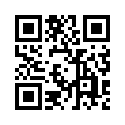
QR code for hms.sflt.app
Scan to open hms.sflt.app

SFLT Staff app

The phone app for hospital staff. It shows your updates and sends you notifications.

Android

Version 1.7.1 (build 33)

Download for Android
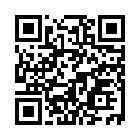
QR code to download the SFLT Staff app for Android
Scan with your phone

How to install

  1. Scan the code or tap Download.
  2. Open the file.
  3. If the phone asks, allow “Install unknown apps” for your browser.
  4. Open SFLT Staff and sign in with your hospital username.
  5. Allow notifications when asked.

Needs Android 8 or newer.

iPhone

Version 1.7.1 (build 33)

The iPhone app is installed by invitation at this time. Give your iPhone to the IT office, or send them your name, and they install it for you.

After the app is installed

  1. Open SFLT Staff.
  2. Sign in with your hospital username.
  3. Allow notifications when asked.

Needs iOS 16 or newer.

Need help?

Contact the hospital IT office.